Divan Talk to us

Built on Divan

PMIS : Portfolios, programmes and projects, from idea to closure.

PMIS carries an organisation's projects from idea to closure: plans and schedules, people and their time, cost and contracts, documents and letters, meetings, daily site reports, knowledge, and the reports that decide. In Persian and English, on the Persian and the Gregorian calendar.

Runs on Divan Runs on SharePoint English and Persian
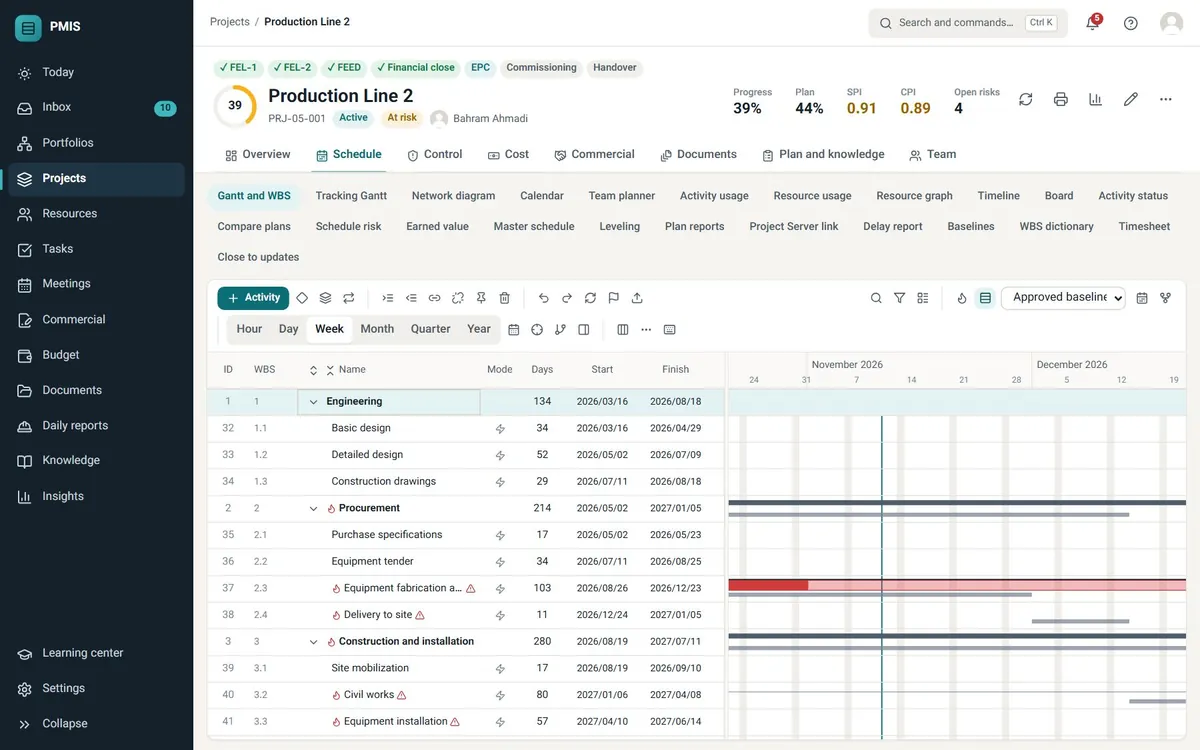
PMIS: the Gantt and WBS of a demo project, Production Line 2, with its stages, indicators and plan
The real product - demo data

What it does

A project's whole life, in one system.

Where an organisation carries its projects from idea to closure - and each person sees only what concerns their role.

01

Planning and tracking

Gantt and WBS, baselines, the critical path, progress reports and their approval.

02

People

A resource pool, capacity, engagements and timesheets.

03

Control

Risks, issues, change requests and delays.

04

Money

Budget, earned value, cash flow, contracts, payment statements and guarantees.

05

Documents and letters

Registering, versions, review, classification, letters and transmittals.

06

Decisions

Reports, portfolio analysis and gate reviews.

Where it runs

One product, two homes.

The same PMIS installs on Divan as an app of the platform, or lives on a SharePoint site on its own.

On Divan

An app of the platform

PMIS is the first large app on Divan. It installs as one package, keeps its rows in Divan's datasets and signs people in with Divan - and each part of it that one of Divan's studios does better, that studio does.

Rules Divan enforces
PMIS compiles the roles and field rules it ships into Divan's own access rules, so Divan holds them at its door, not only the screen.
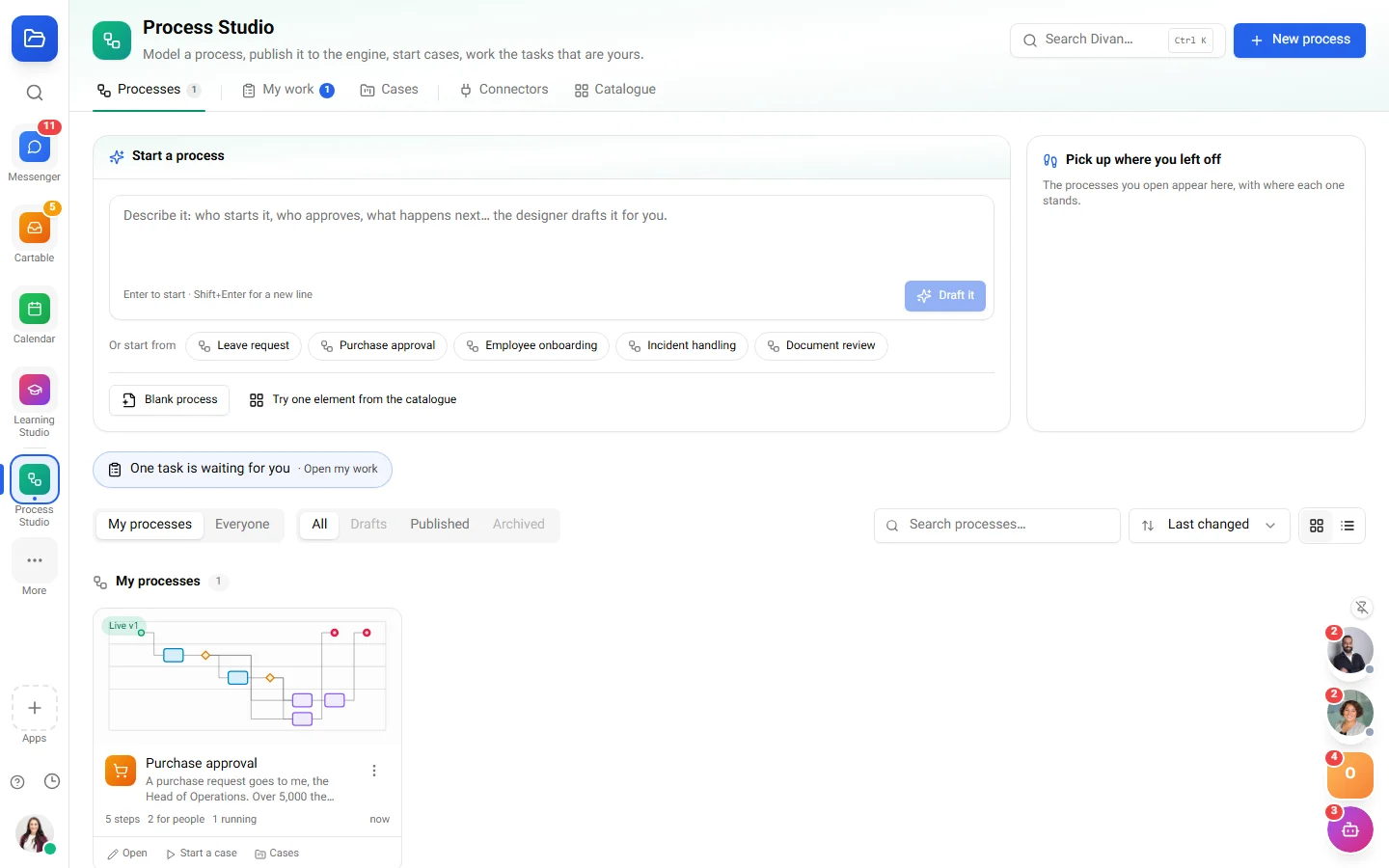
Approvals in Process Studio
Its approvals run as processes on Divan's process engine - all but the few whose approver edits the record at a step. The decision comes back into PMIS, which applies it by its own rules.
Work in the one list
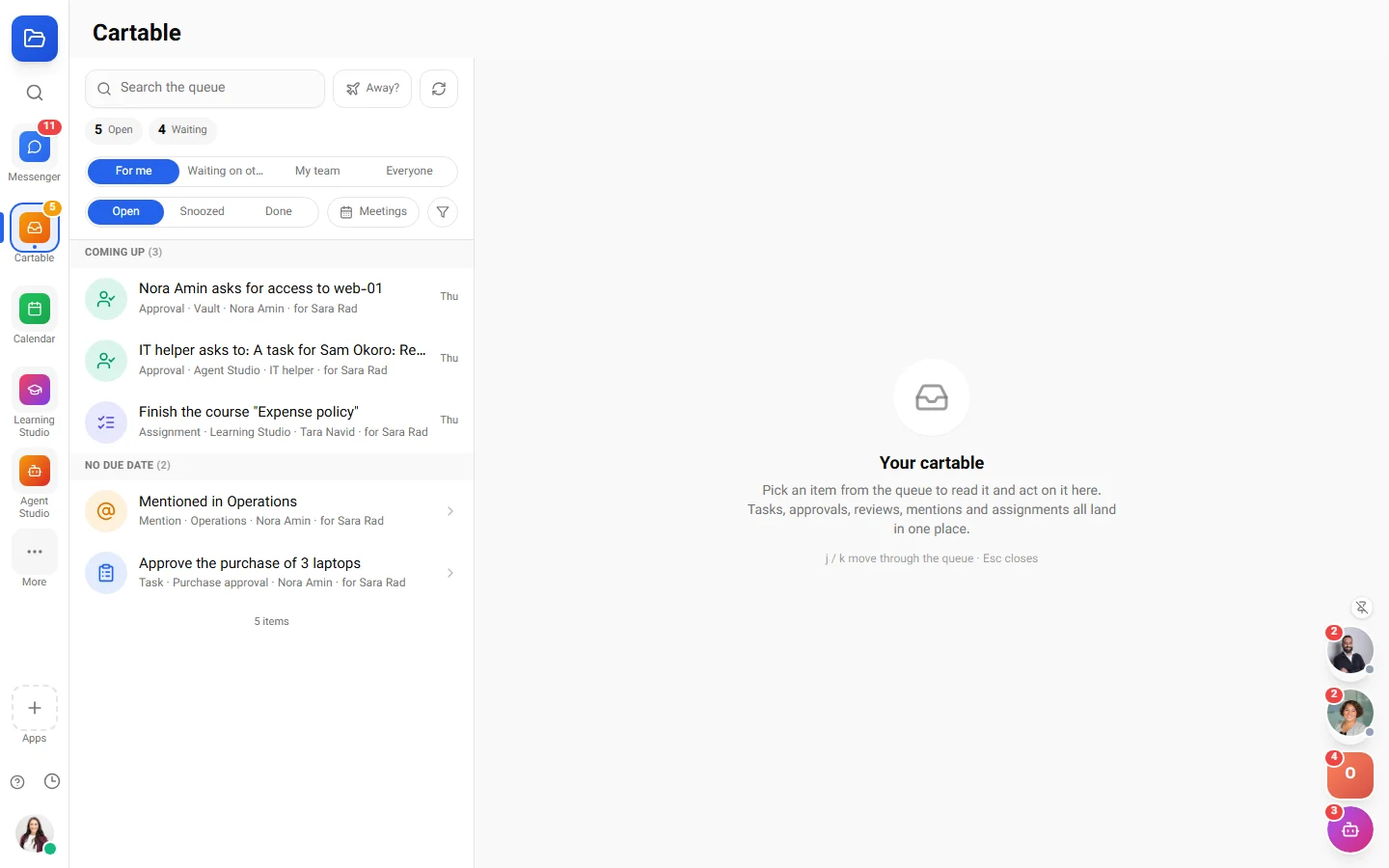
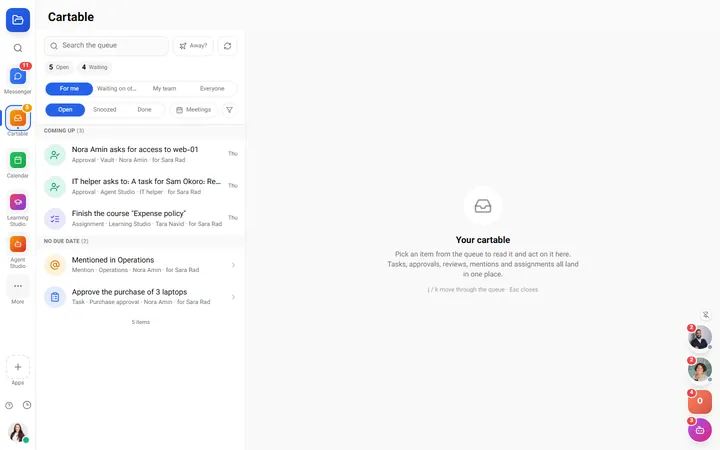
What PMIS asks of a person arrives in their cartable beside everything else, and opens in PMIS at its record.
Help and courses
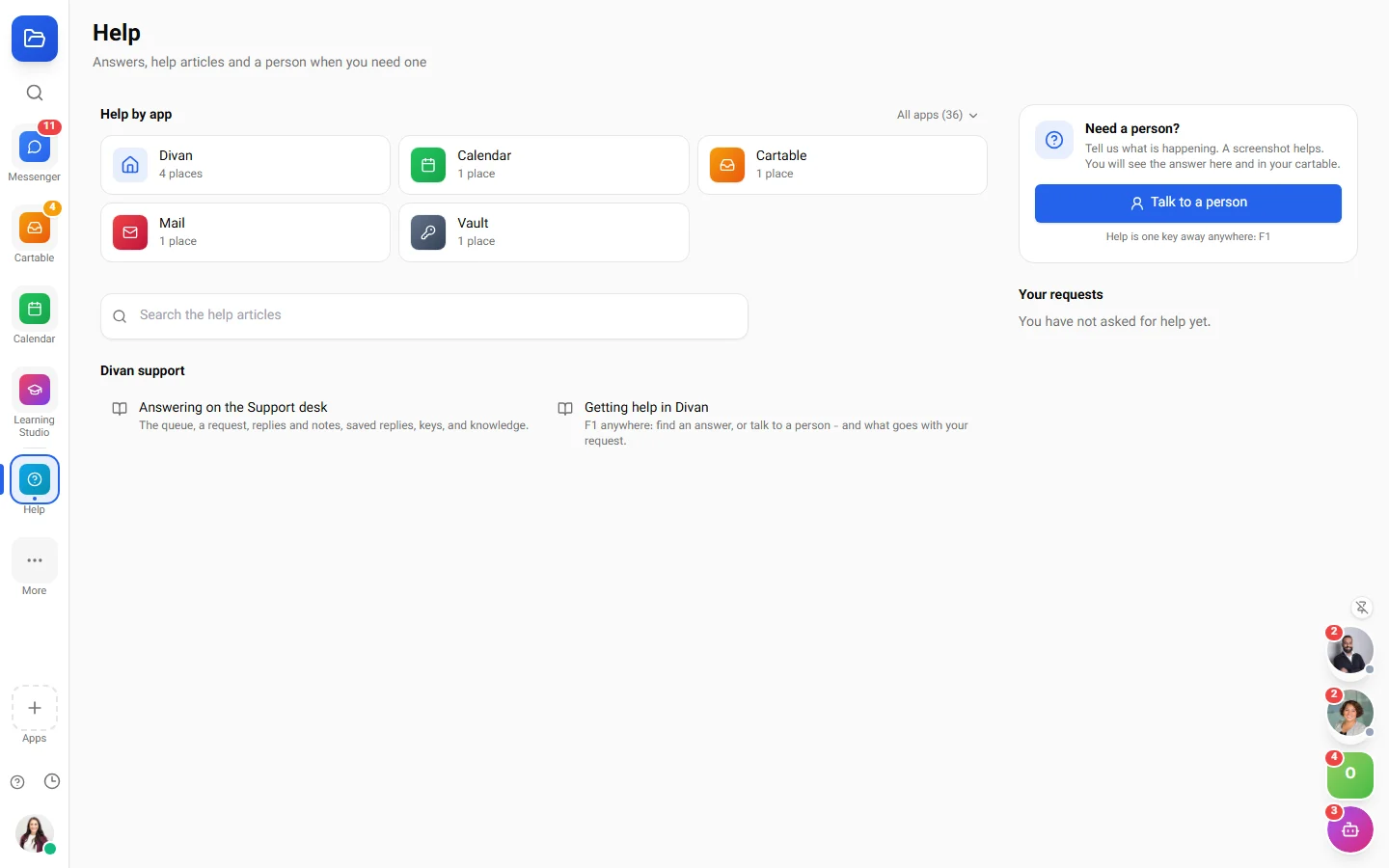
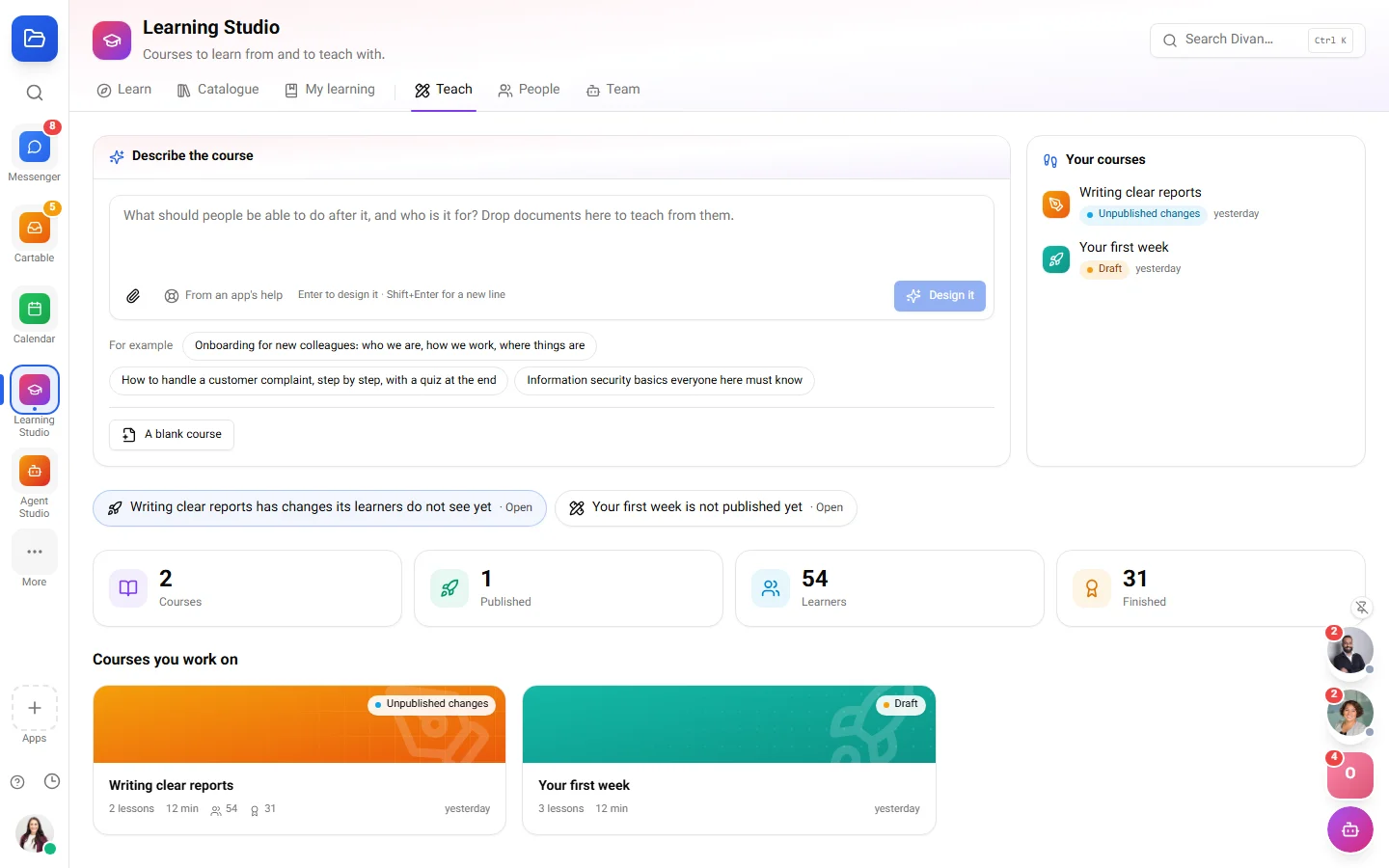
Its help is a pack in Divan's Help, and its lessons are courses of Learning Studio, in Persian and in English.
Charts in Data Studio
Its simple reports arrive as Data Studio charts and a dashboard. Earned value, forecasts and health stay in PMIS's own code.
On SharePoint

An application on your site

On SharePoint Server 2019, PMIS runs in the browser and keeps its data in the lists and libraries of one site. It has no server of its own: people sign in with their SharePoint account, and calculation, reminders and approval flows run in their browsers.

Set up on the site
Setup creates its lists, libraries, groups and reference data on that site. It works only there, and it deletes no data.
Nothing leaves the site
The application connects to no outside address. Its data sits in lists prefixed pmis, and its files in libraries of the same site.
Classified documents behind the server
Each of the four classification levels is a library with its own permissions, and a contract's restricted section is a list of its own.
No Project Server needed
Its own engine computes the critical path, calendars, baselines, levelling and earned value. Plans come in from Excel and go to and from MS Project as XML.
Plain about its limits
Its help lists, side by side, what the server enforces and what only the application applies.

One code base. Every screen speaks to its platform through one set of ports, and an adapter for each platform does the rest - so the screens, the scheduling engine, the help and the two languages are the same on both.

The modules

Every question of a project has a screen.

These are PMIS's own screens, with its demo data: an industrial group, its plants and their projects.

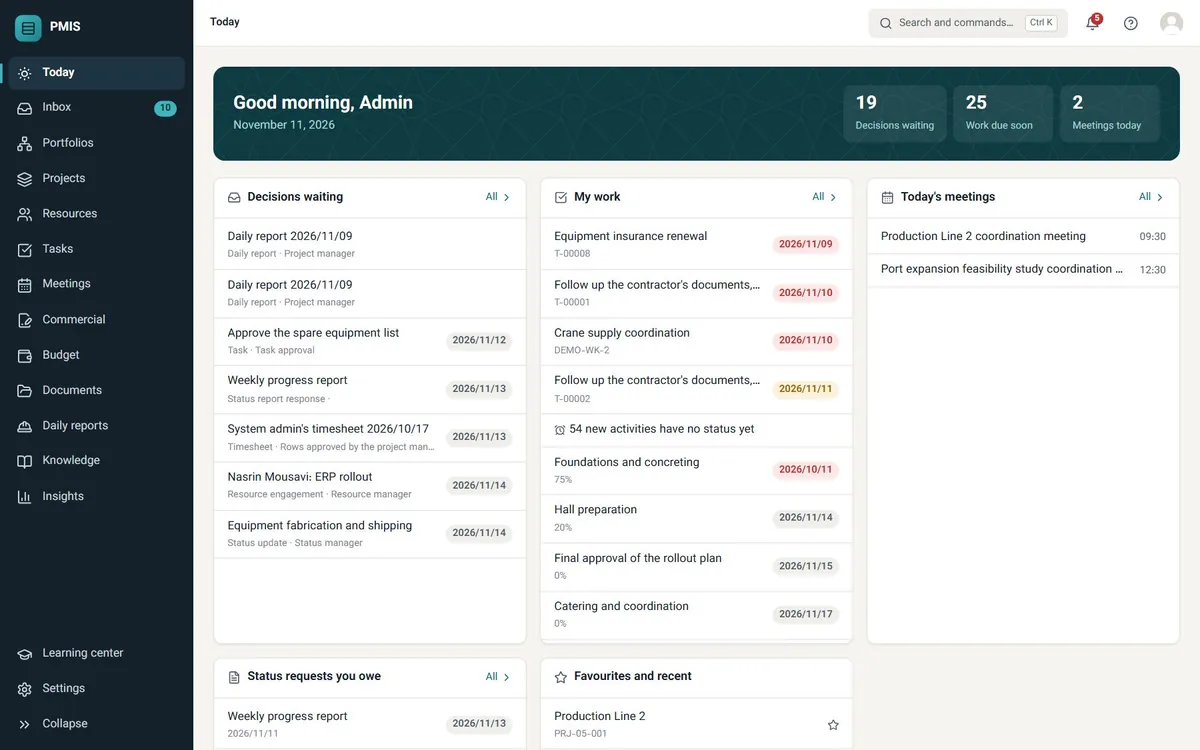
Today: What needs me now?

Today - Decisions waiting, work due soon, today's meetings and your projects.

PMIS, Today: Decisions waiting, work due soon, today's meetings and your projects.
The real product - demo data

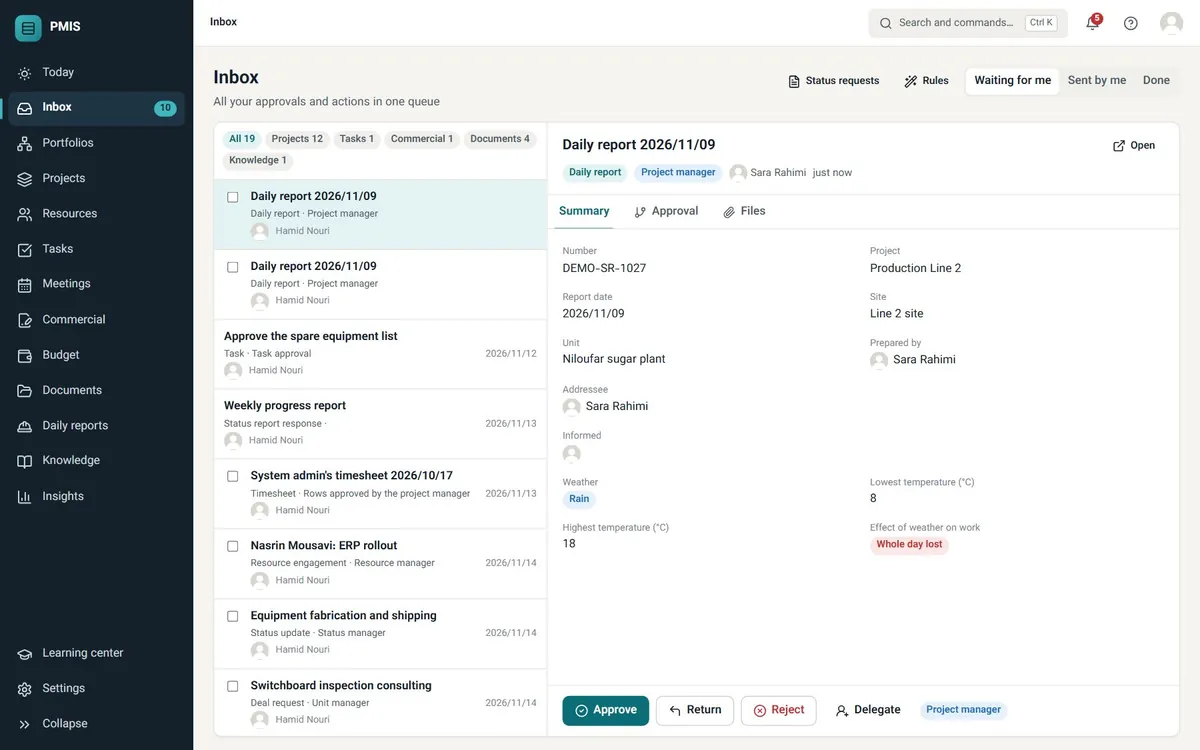
Inbox: What is waiting for my decision?

Inbox - All your approvals and actions in one queue.

PMIS, Inbox: All your approvals and actions in one queue.
The real product - demo data

Portfolios: Are we doing the right things?

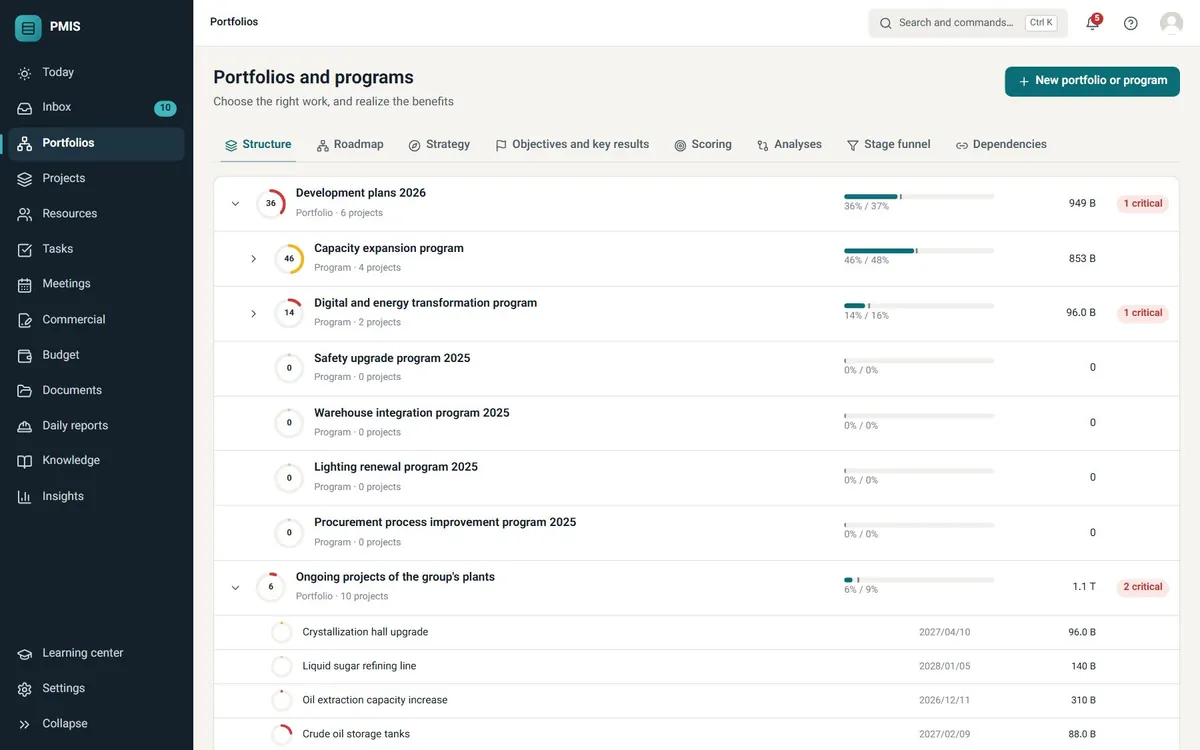
Portfolios - The tree of portfolios and programs, and the tabs for strategy, objectives and analysis.

PMIS, Portfolios: The tree of portfolios and programs, and the tabs for strategy, objectives and analysis.
The real product - demo data

Projects: What state is each project in?

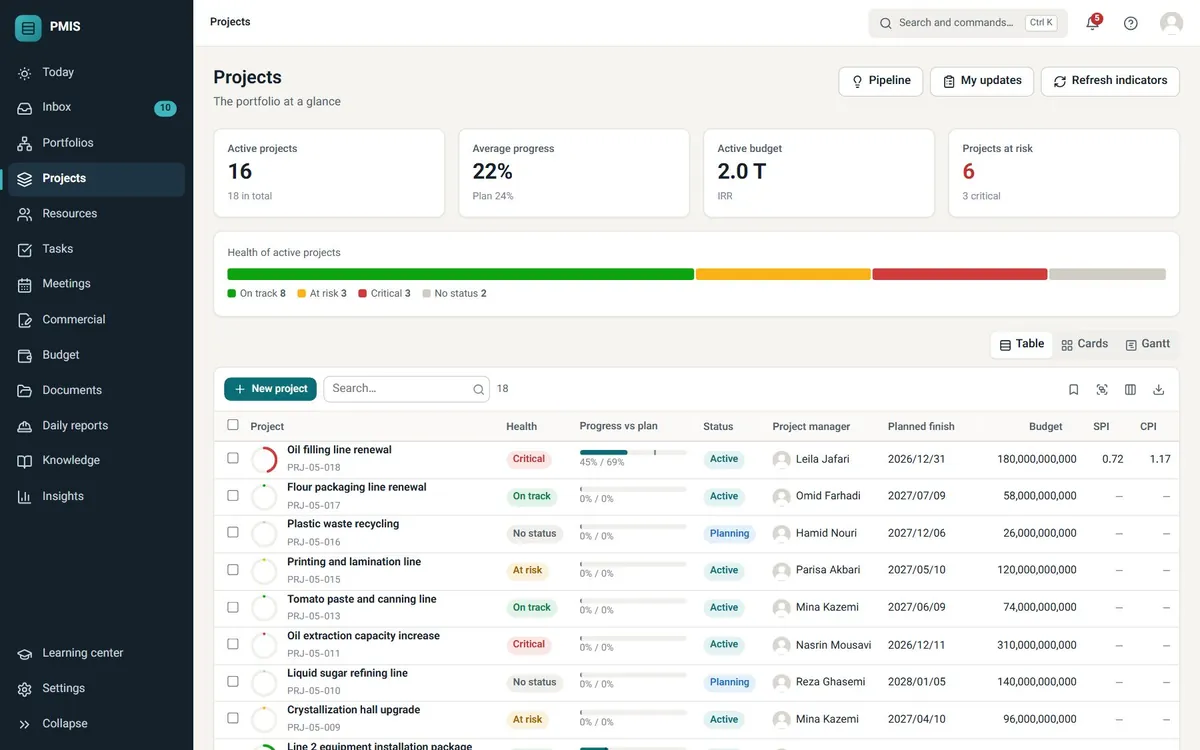
Project list - Every project you can read, as a table, cards or a Gantt.

PMIS, Project list: Every project you can read, as a table, cards or a Gantt.
The real product - demo data

A project: Everything about one project, in one place.

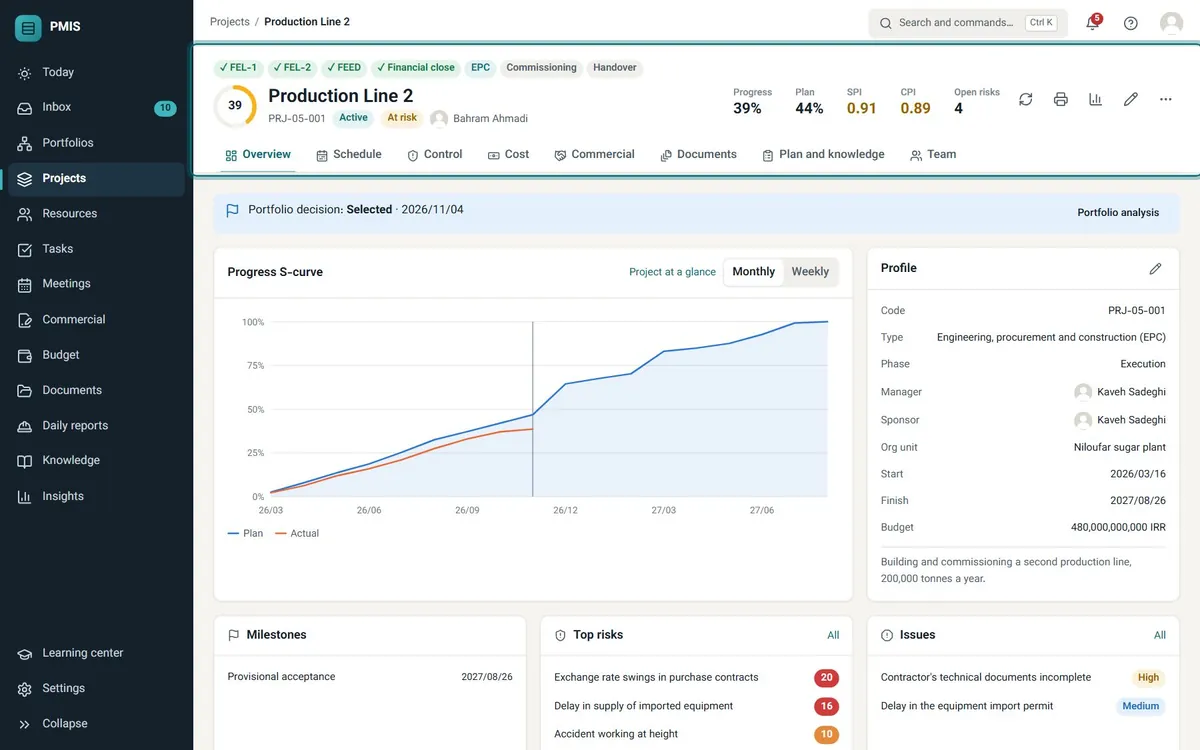
Project hub - One place for everything about a project.

PMIS, Project hub: One place for everything about a project.
The real product - demo data

Schedule: What is the plan, and what drives each date?

Gantt and WBS - The working plan: table and chart side by side.

PMIS, Gantt and WBS: The working plan: table and chart side by side.
The real product - demo data

Resources: Who is booked how much?

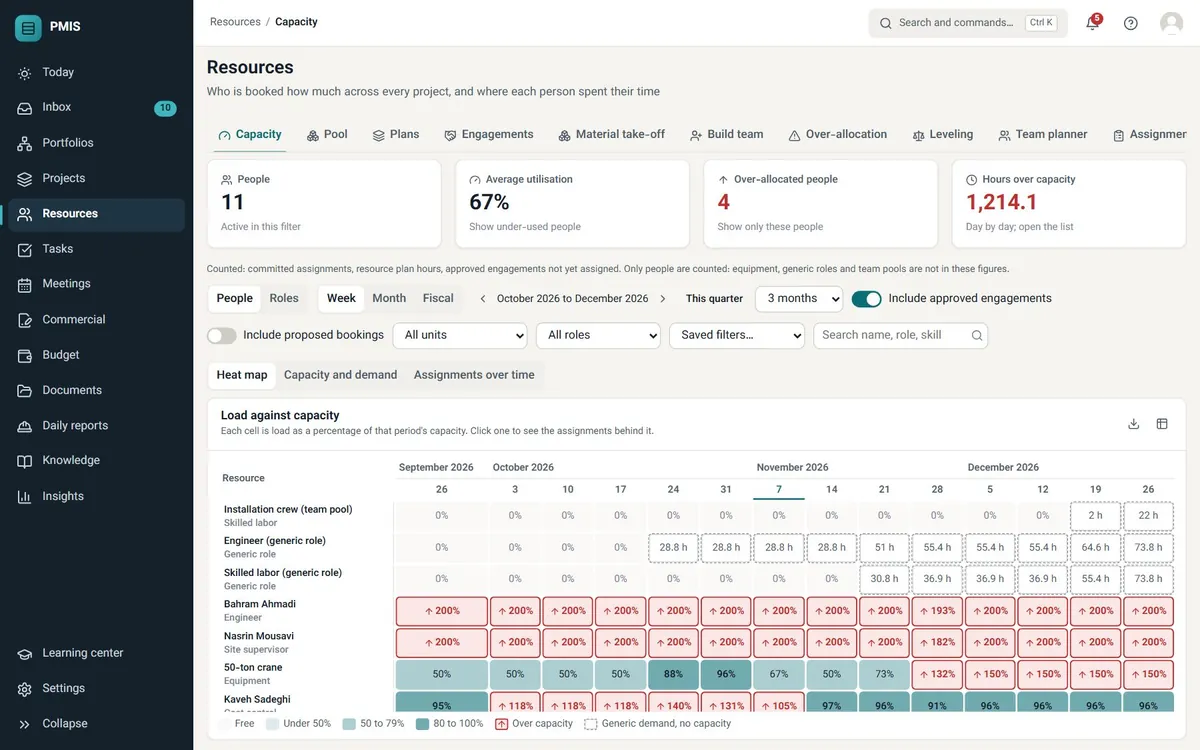
Capacity - Load against capacity, capacity and demand, and assignments over time.

PMIS, Capacity: Load against capacity, capacity and demand, and assignments over time.
The real product - demo data

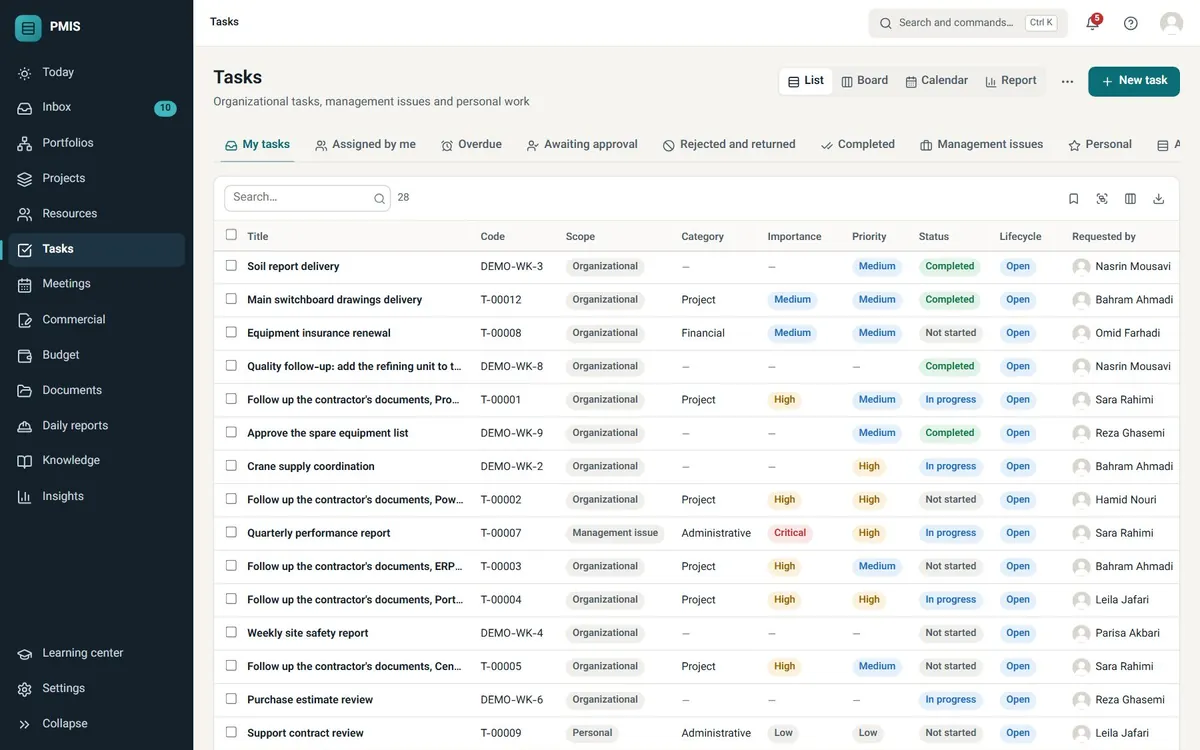
Tasks: What has been assigned to whom?

Tasks - Work assigned outside the schedule.

PMIS, Tasks: Work assigned outside the schedule.
The real product - demo data

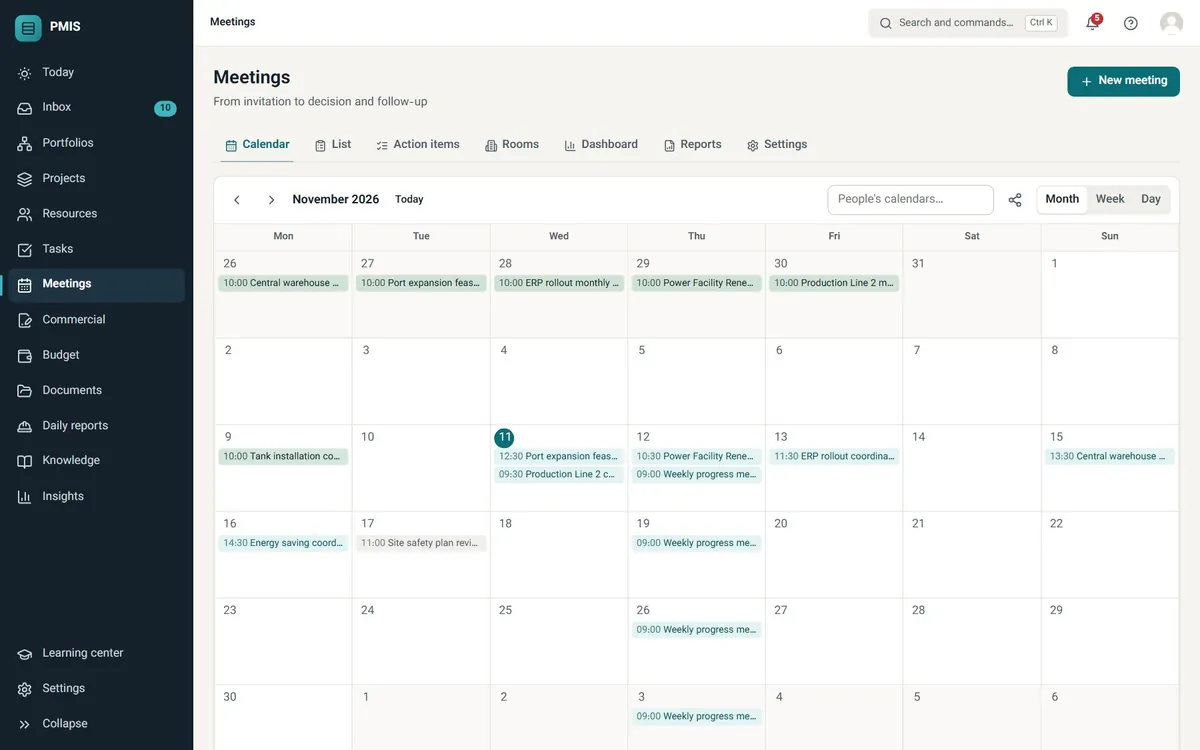
Meetings: When do we meet, and what was decided?

Meetings calendar - Meetings on a month, week or day calendar.

PMIS, Meetings calendar: Meetings on a month, week or day calendar.
The real product - demo data

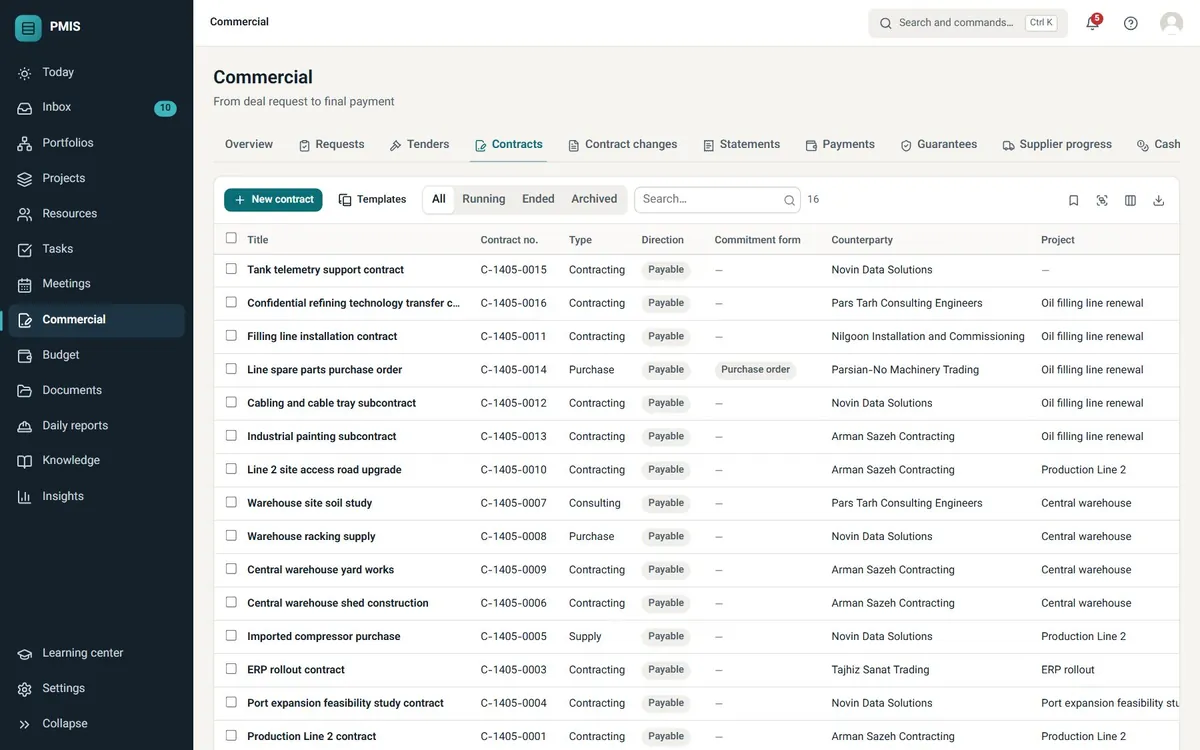
Commercial: What are our commitments and payments?

Contracts - Every contract. Open one for its tabs.

PMIS, Contracts: Every contract. Open one for its tabs.
The real product - demo data

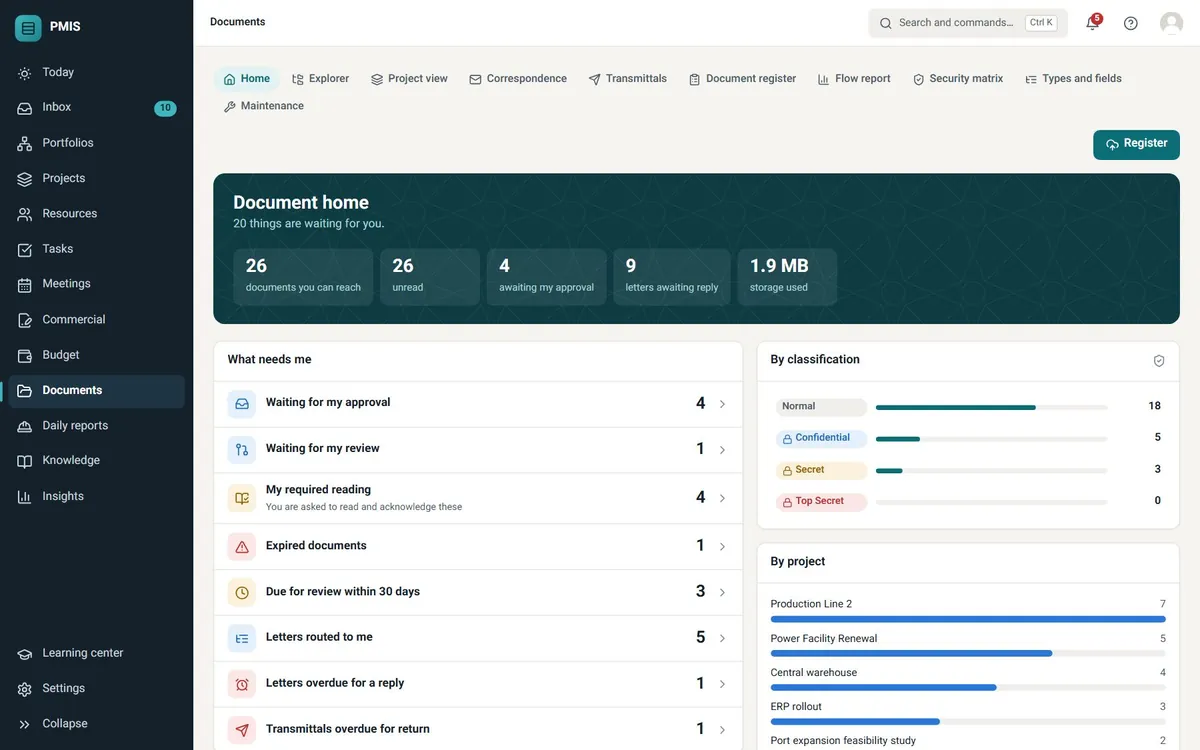
Documents: Where is the document or letter?

Document home - What is waiting for you among documents and letters.

PMIS, Document home: What is waiting for you among documents and letters.
The real product - demo data

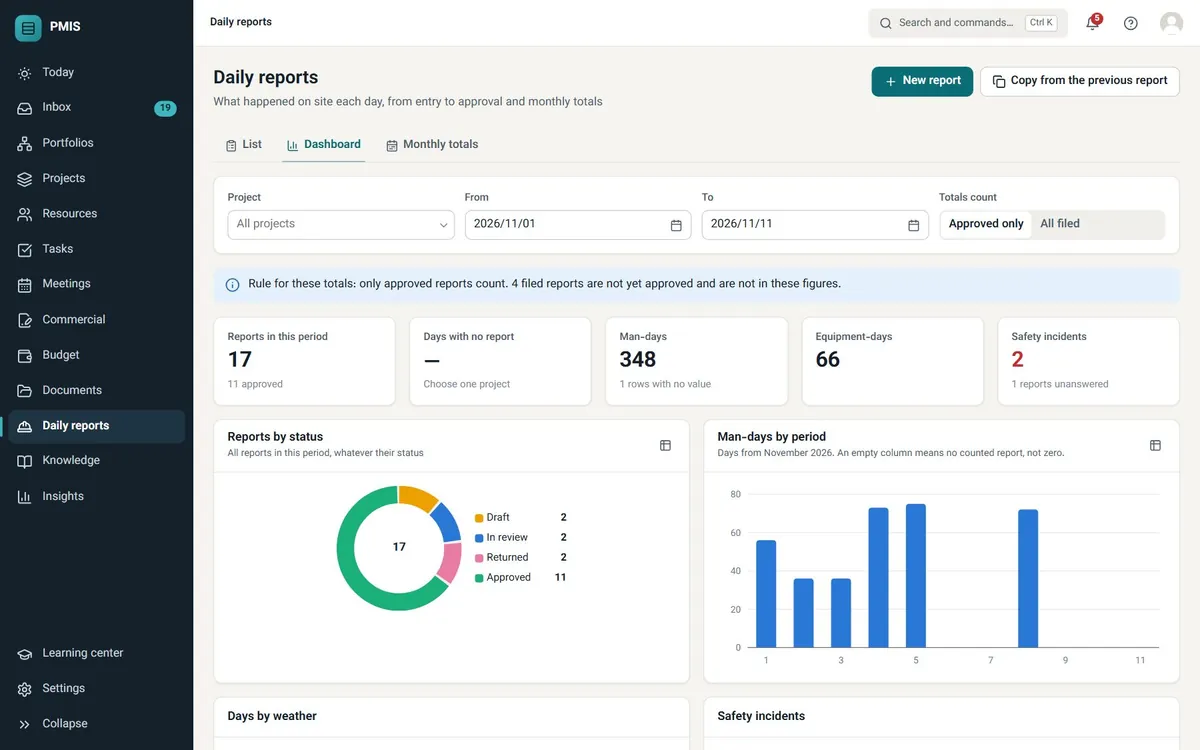
Daily reports: What happened on site, day by day?

Daily reports dashboard - Man-days, equipment-days, weather, incidents and days with no report for a period.

PMIS, Daily reports dashboard: Man-days, equipment-days, weather, incidents and days with no report for a period.
The real product - demo data

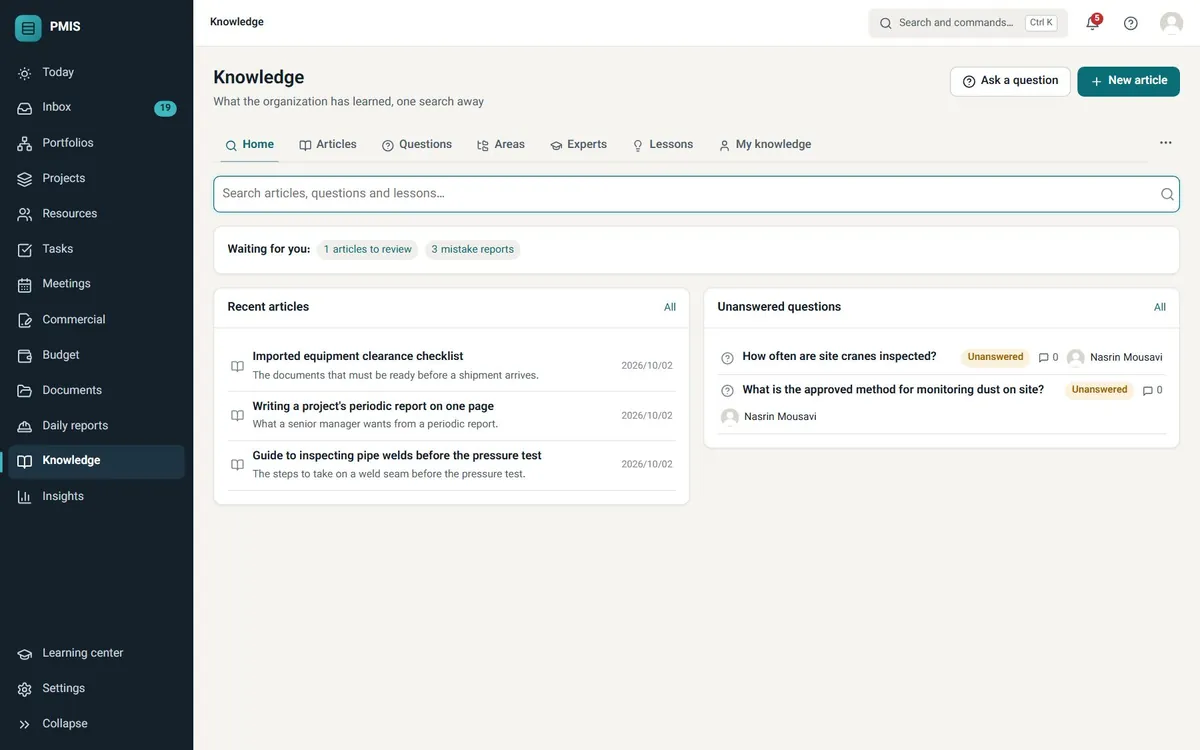
Knowledge: What has the organisation already learned?

Knowledge home - One search over articles, questions and lessons, with what is waiting for you.

PMIS, Knowledge home: One search over articles, questions and lessons, with what is waiting for you.
The real product - demo data

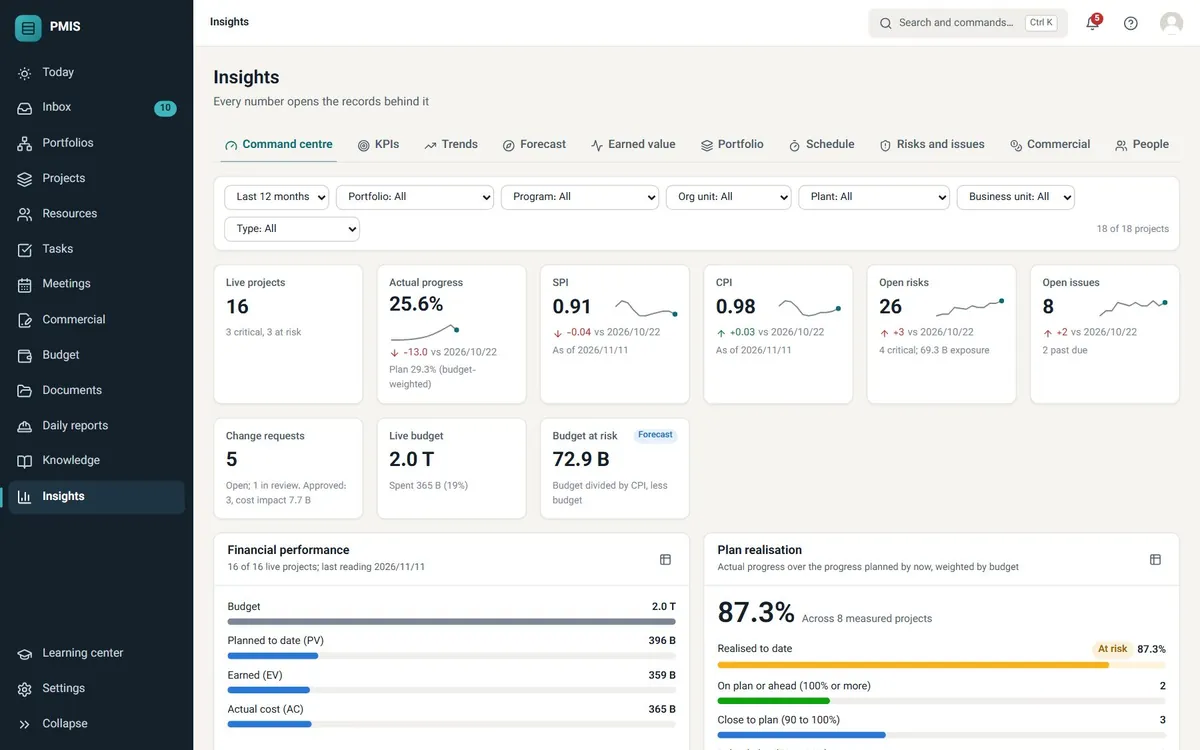
Insights: What is the overall trend?

Command centre - What you should know, what needs attention, health, financial performance, plan realisation and project progress.

PMIS, Command centre: What you should know, what needs attention, health, financial performance, plan realisation and project progress.
The real product - demo data

It grows with the project

A small project sees few tools. A large one, all of them.

One product and one data model. A project's type gives it a level, a delivery method, its stages and a ready plan. Going up a level loses nothing; going down only hides.

  1. 1

    Simple

    Small group work

    Activity list, board, calendar, team, files

  2. 2

    Standard

    Departmental projects

    Gantt, WBS, risks, issues, budget, meetings, correspondence, closure

  3. 3

    Professional

    Typical projects

    Baselines, critical path, resources, timesheets, change control, earned value, contracts, charter

  4. 4

    Enterprise

    Large projects

    PM plan, gates, requirements, quality, RACI, levelling, Monte Carlo, cash flow, multi-currency

  5. 5

    Mega

    EPC and EPCMF

    Subprojects, interfaces, submittals, MDR, punch list, financing

And some tools appear by themselves, as the project grows

Ganttat 8 activities or the first link
WBSat 30 activities or the first outline
Risks, issues, meetings, correspondence, stakeholders, contracts and statementswith the first record
Baselineswith the first baseline; earned value with a baseline and activity cost
Resourcesat 3 assignees; levelling when someone is over-allocated
Cash flow and vendor evaluationwith the first contract
Agilewhen the delivery method is not predictive

Who it is for

From the site to the board.

Each person sees only what concerns their role. Someone from outside the organisation - a contractor or a consultant - gets a reduced PMIS: the projects shared with them, and only those parts of each.

  • Project manager
  • Planner
  • Team member
  • PMO
  • Executive
  • Resource manager
  • Contract officer
  • Financial officer
  • Document controller
  • Meeting secretary
  • Contractor or consultant
PMIS: the command centre - live projects, progress, SPI and CPI, open risks and issues, budget and plan realisation across the portfolio
The real product - demo data

Questions

What people ask about PMIS.

Does it run on Divan or on SharePoint?

Either. It is one code base with an adapter for each platform. On Divan it is an app of the platform, and its approvals, help, courses and charts move into Divan's studios. On SharePoint Server 2019 it lives on one site, in that site's lists and libraries, with no server of its own.

Does it need Project Server?

No. Scheduling is built in: critical path, constraints, calendars, baselines, assignments, levelling and earned value are computed by PMIS itself, and plans are exchanged with MS Project as XML. For an organisation that has Project Server, a project can take an optional link; it has been tried against a simulator only, and the screen says so.

Does a small project have to carry all of it?

No. A small project sees few tools, and tools appear as it grows. Going up a level loses nothing; going down only hides. Each person can also ask to see every tool.

Which languages and calendars does it speak?

Persian and English, the Jalali and the Gregorian calendar, chosen by each person for themselves. The time axis follows the language, and nobody's choice changes anyone else's screen.

Who decides what a person sees?

Roles - from groups and role grants - project roles, read scopes and field rules. On Divan the rules PMIS ships are enforced by Divan itself. On SharePoint the server enforces the site's permissions, the classified libraries and the contracts' restricted sections, and the application applies the rest; its help lists which is which.

Does it work on a phone?

In a phone's browser. The side rail gives way to a bar with Today, Inbox, Projects, Tasks and Documents, and the Gantt switches between its list and its chart.

Its help: what it is for, a first day for each role, the tasks people do and the questions they ask

On Divan, it works with

The parts of Divan it hands its work to.

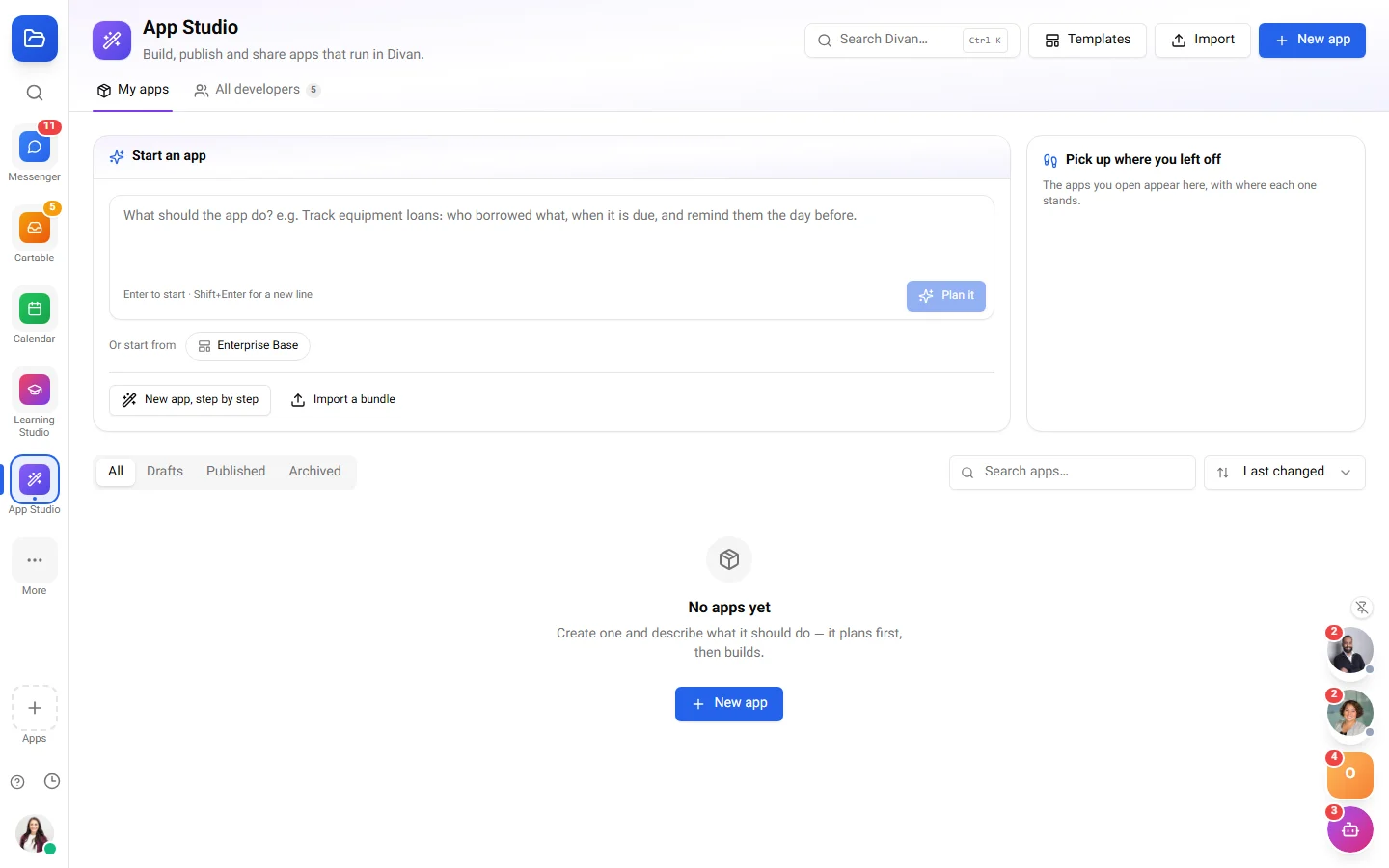
App Studio

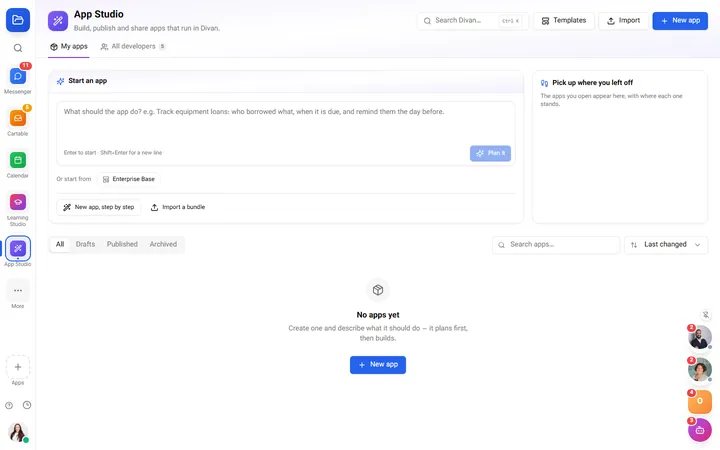
Build apps for the organisation by describing them.

Process Studio

Business processes: model them, run them, work them.

Cartable

Everything waiting for you, in one list.

Help and support

Answers where you are, and a person when you need one.

Learning Studio

Courses written, examined and tutored by a team of agents.

Data Studio

Business intelligence on governed data.

See Divan on your own servers.

Tell us about your organisation and what you want to run. We will show you the platform on the work you actually do.